Role
UI/UX Designer
Type
SaaS • AI
Year
2025
Job Search Works is an AI-powered job-matching platform designed to streamline the job-hunting experience for users. The platform simplifies the process by analysing skills, preferences, and behaviour to deliver personalised job suggestions and actionable insights.
The Problem
Job seekers are overwhelmed by generic job boards, irrelevant listings, and too much noise, making it hard to find roles that genuinely fit their skills.
The Solution
An AI-powered platform that delivers personalised job suggestions and clearer guidance, helping users find relevant opportunities faster and with less frustration.
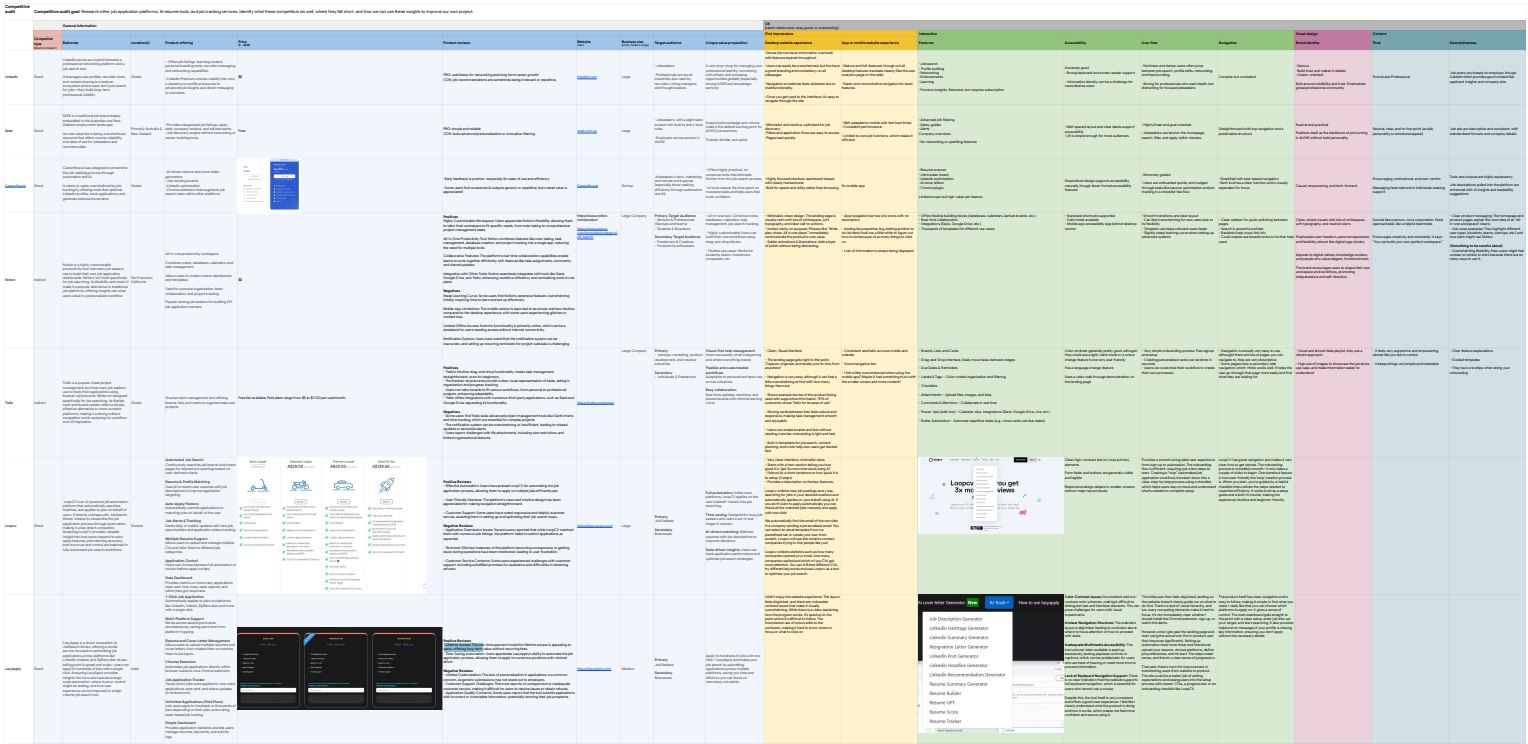
I conducted a detailed competitor analysis across major job search and AI-powered career platforms to understand their strengths, weaknesses, and unique value propositions. By comparing features, user flows, positioning, and accessibility, I identified gaps in the market and opportunities for Job Search Works to differentiate through personalisation, clearer guidance, and a more supportive job-seeking experience.
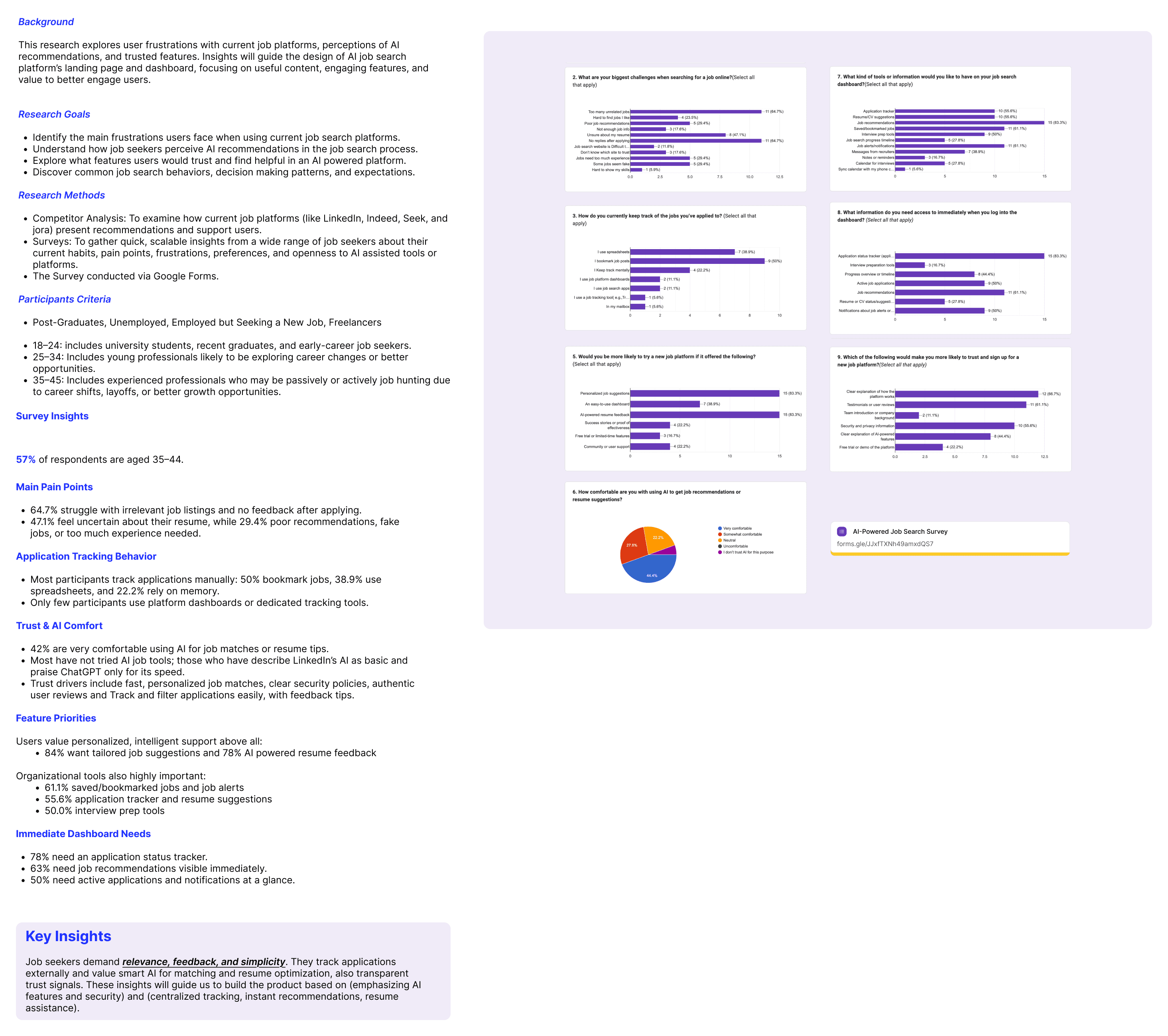
I conducted user surveys to understand how people search for jobs, what frustrates them, and where current platforms fall short. The results showed strong demand for more relevant recommendations, clearer guidance, and a more personalised experience.
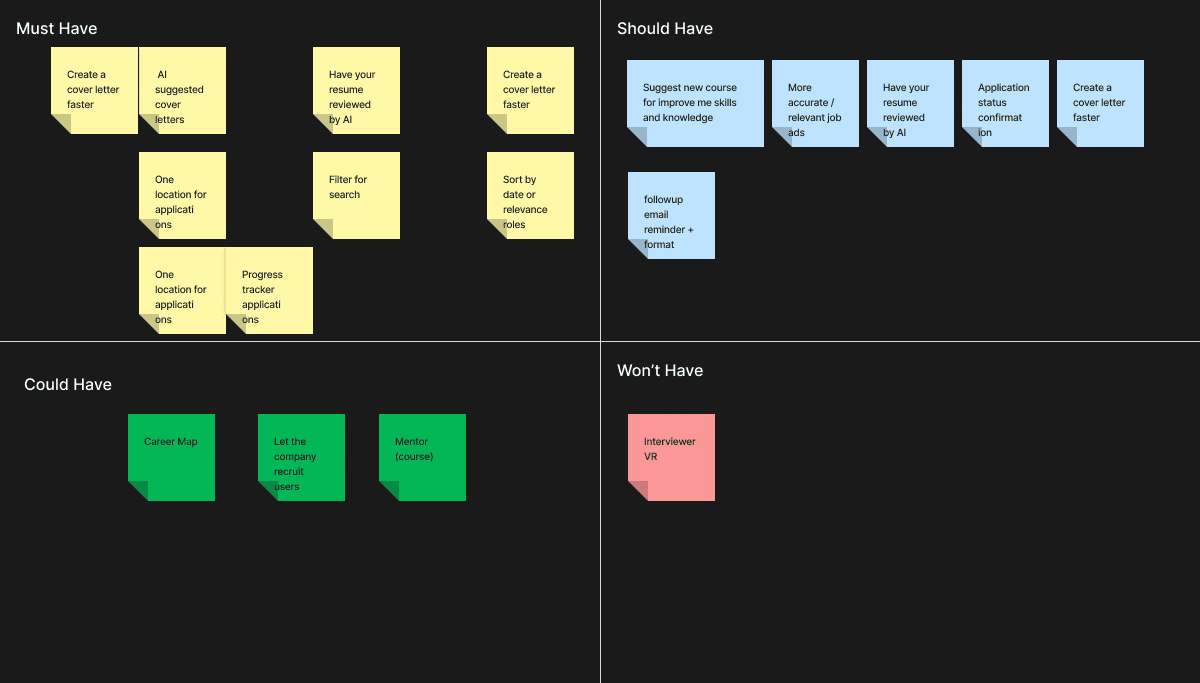
The MoSCoW prioritisation exercise helped organise all identified features into a structured roadmap, separating what the platform must include from what could be introduced later.
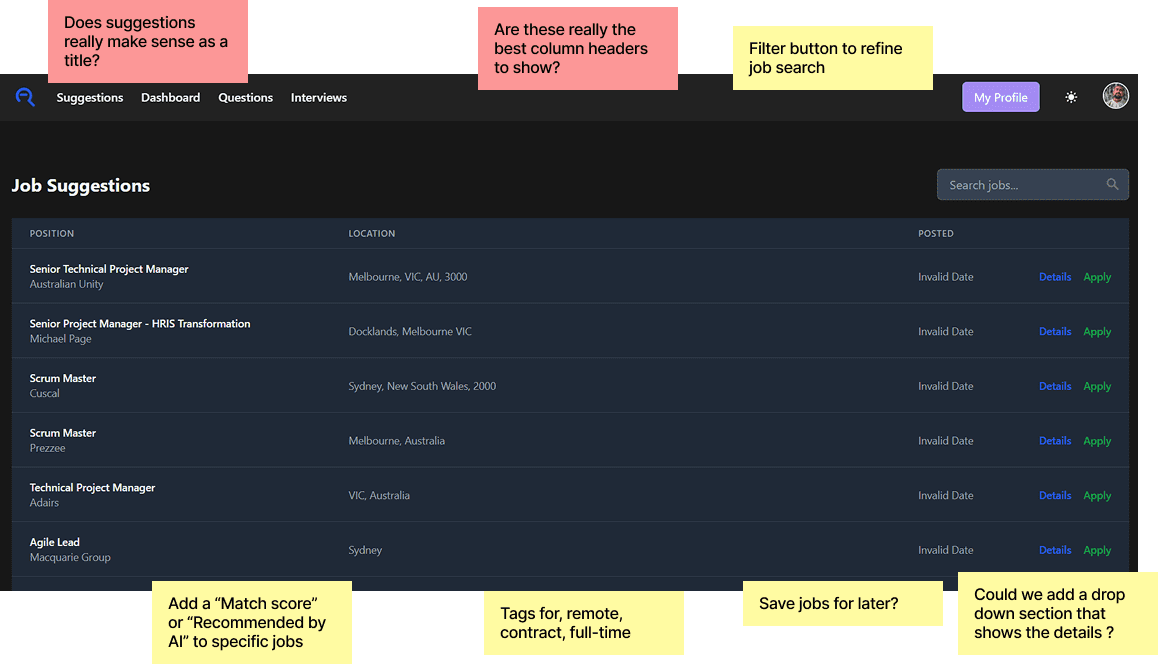
This stage focused on evaluating the existing design to identify gaps, usability issues, and opportunities for improvement. By breaking down the interface and adding targeted annotations, I was able to highlight unclear labels, missing functionality, and areas where AI features could be better integrated.
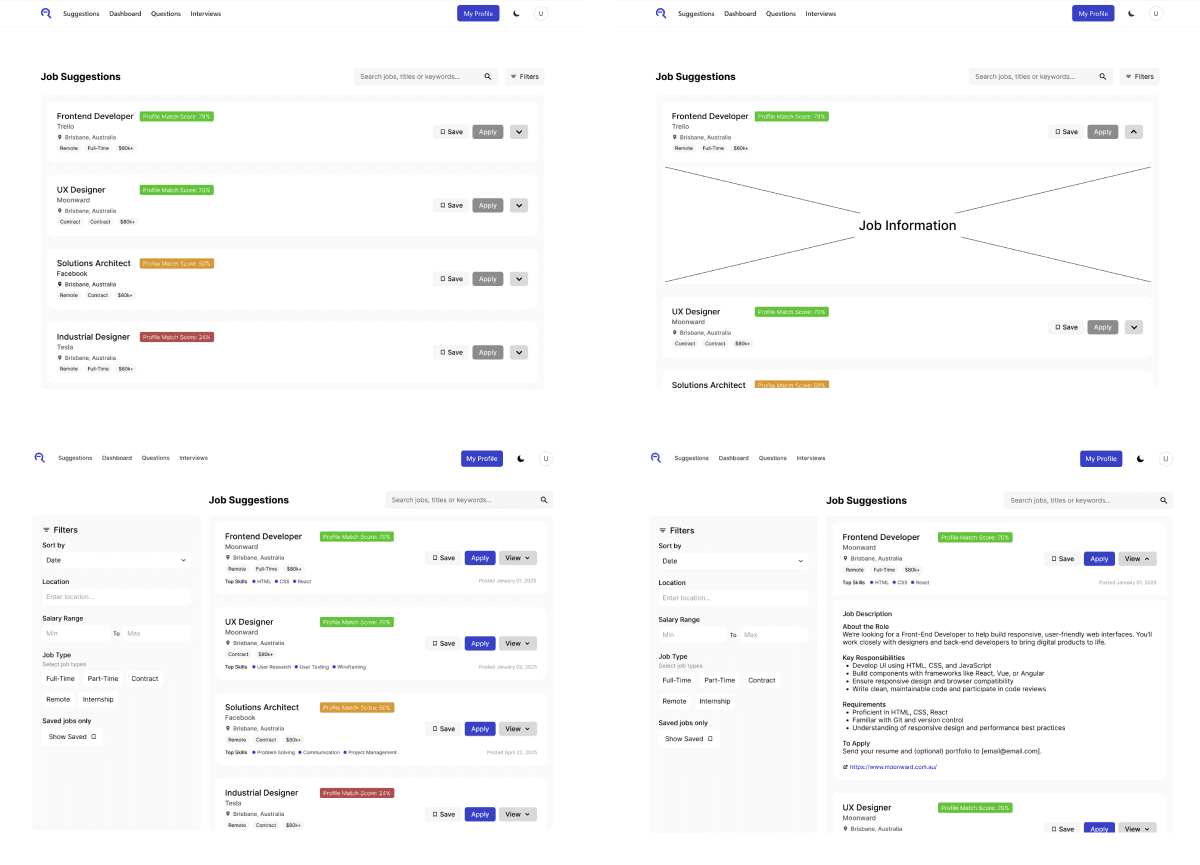
These low and medium fidelity wireframes helped define the core structure of the platform, focusing on layout clarity, filtering behaviour, and the interaction between job listings and expanded job details. Working at this level allowed me to quickly explore different configurations, refine the information hierarchy, and validate early ideas before moving into higher-fidelity design.
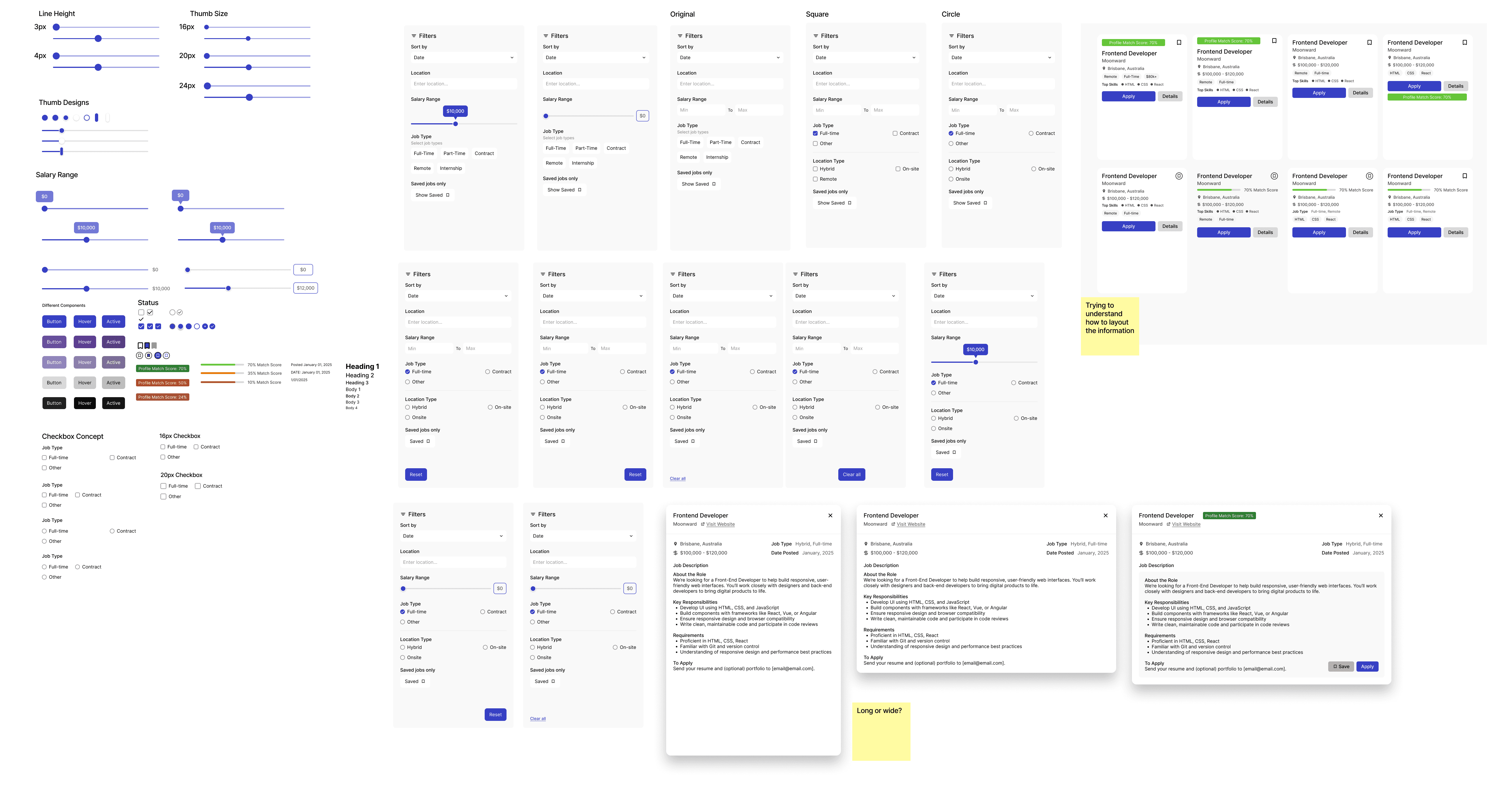
This represents only one page of the broader design system exploration. It captures the core components and patterns used throughout the platform, helping establish consistency early on while leaving room for further expansion as the project evolved.
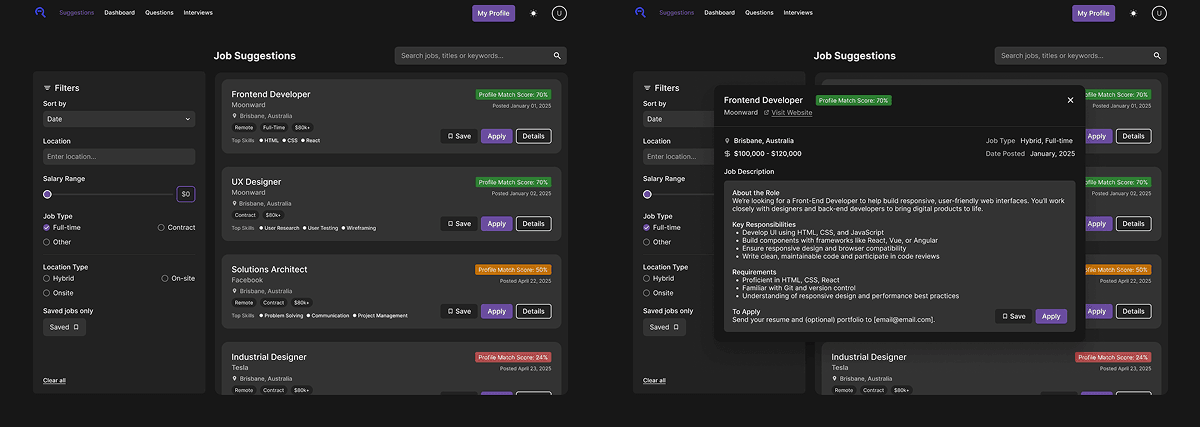
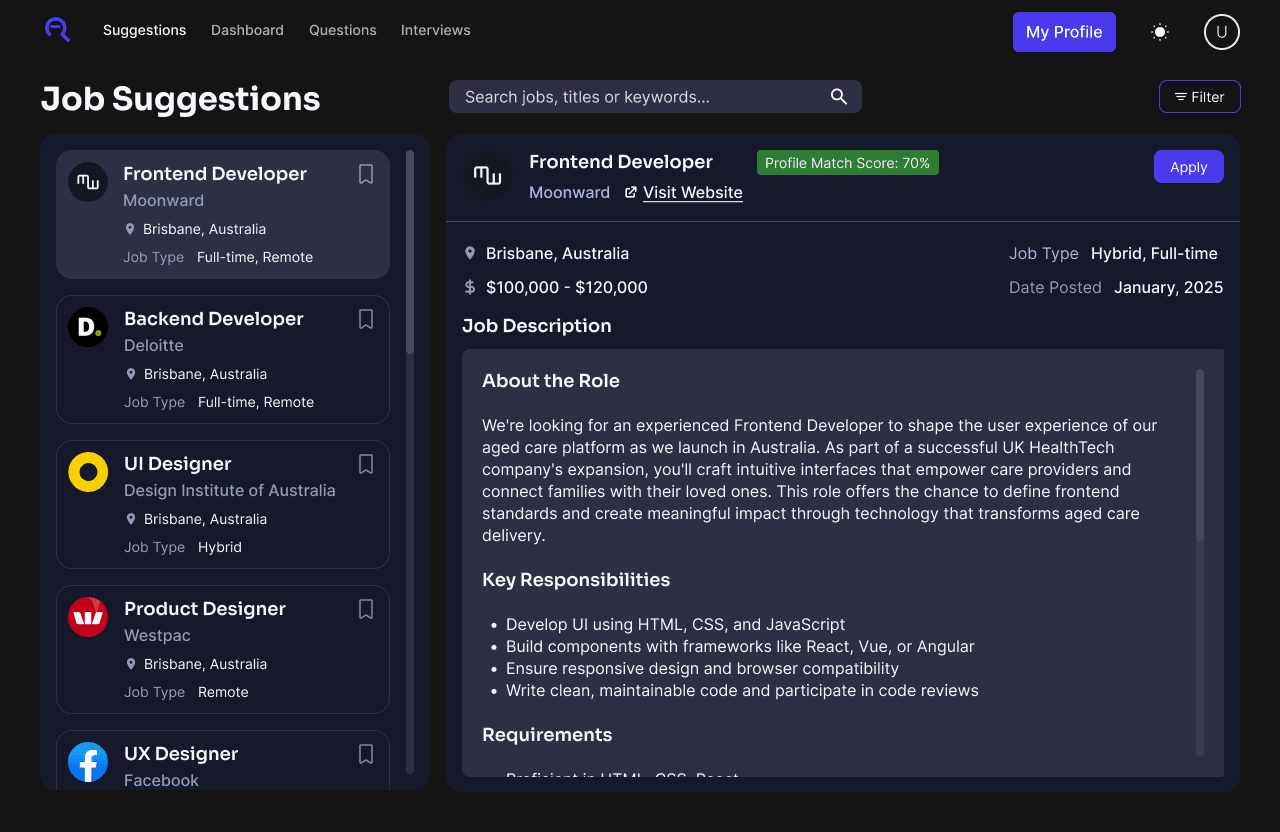
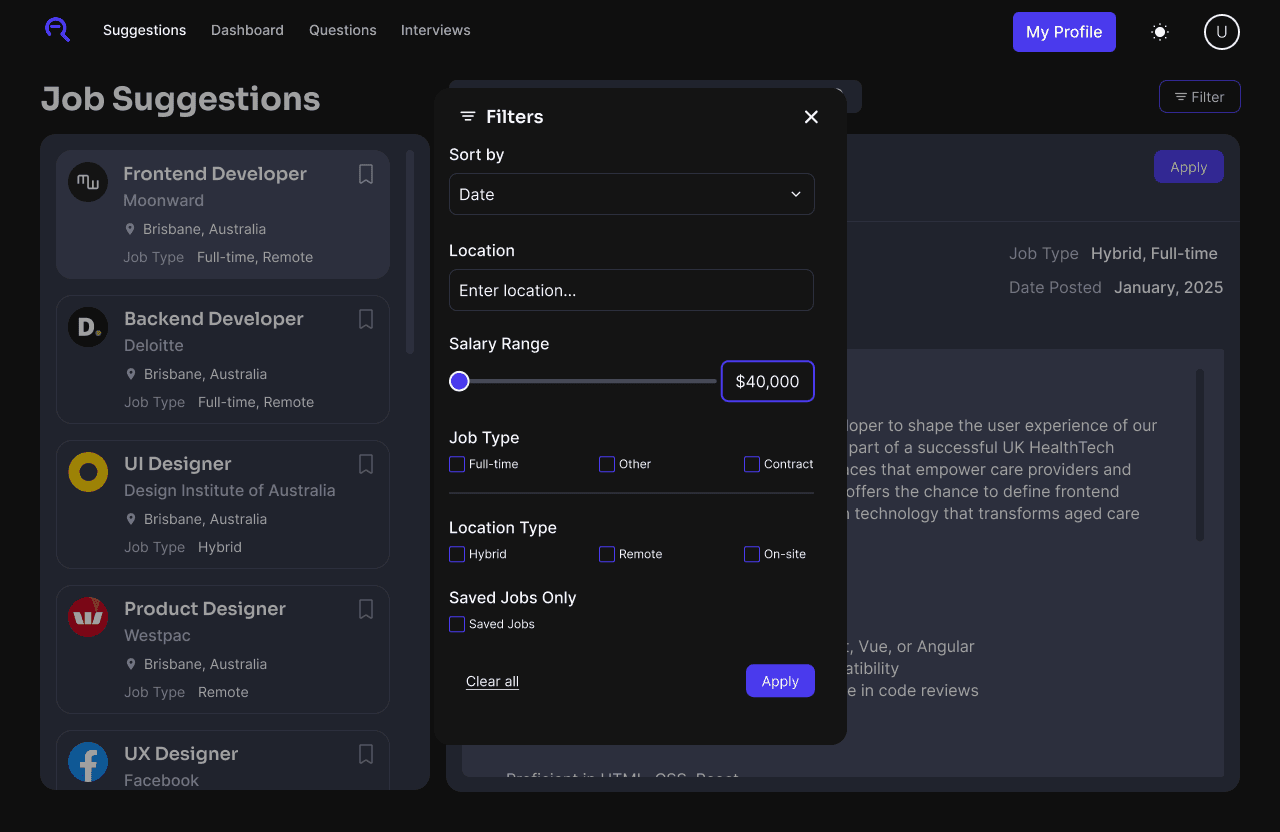
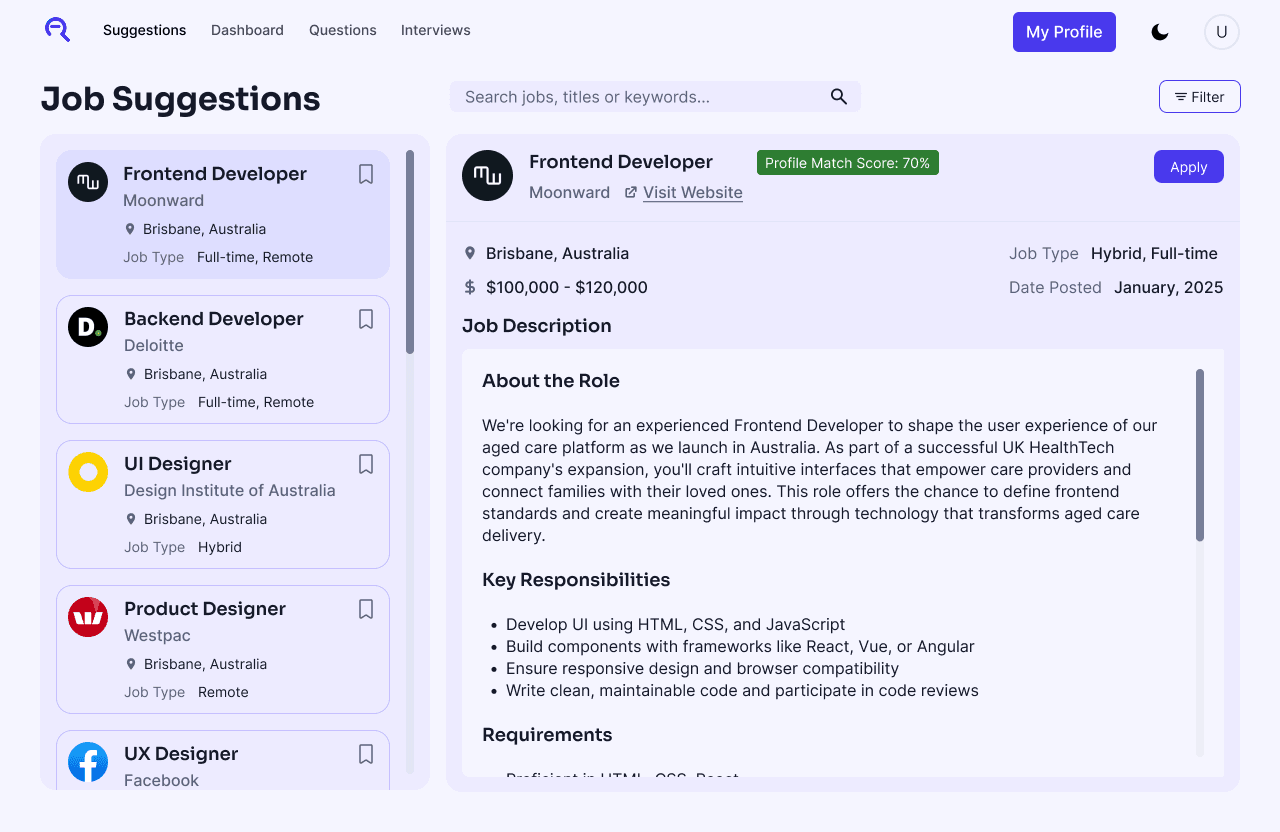
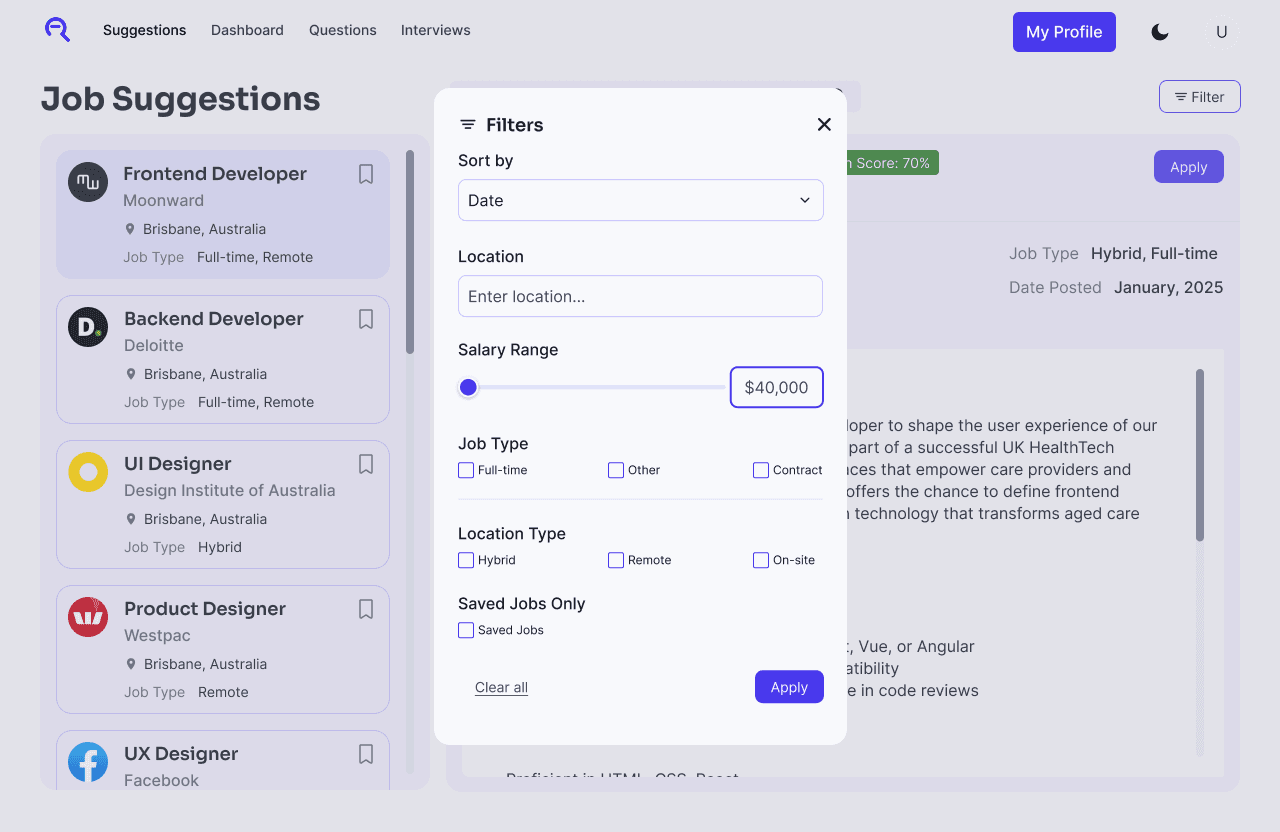
These high-fidelity mock-ups brought the refined design direction to life, incorporating the insights gained from earlier evaluations and testing. One of our final user testing sessions will be run, using these mock ups.
Conducted a user testing session with high fidelity mock ups to validate the design decisions
and identify areas of improvement.
6
Participants
1hr
Session Time
4
Total Tasks
Job information wasn’t easy to read
Users found the job details modal cramped and hard to scan. The limited space made it difficult to compare roles or read longer descriptions comfortably, indicating the need for a clearer, more structured layout.
Filters taking up unnecessary space
The filter panel occupied a large portion of the screen, even when users didn’t need it. This reduced the space available for job results and made the layout feel unbalanced, suggesting the need for a more flexible, collapsible filtering experience.
Modal interactions felt wrong
Opening job details in a floating modal felt disconnected from the rest of the page. Users preferred an anchored, stable layout,
Apply button placement caused confusion
Users overlooked the Apply button when it sat within the card content, especially on longer listings.